MyGrowth 3.0

You become what you repeatedly do.

MyGrowth turns your habits into a hand-drawn heatmap, charts and statistics, so you can watch showing up turn into progress.

Download on the App Store

Private by design. No account, no cloud.

The MyGrowth Dashboard: the week strip, the Becoming goal and today's habits as hand-drawn cards.

Your year, at a glance

One honest picture of a year.

Every day you show up fills a square. Today's tile in the week strip fills up as the day goes by.

  1. M16
  2. T17
  3. W18
  4. T19
  5. F20
  6. S21Today, 72% of the day gone
  7. S22

Reading

DecJanFebMarAprMayJunJulAugSepOctNov

What is inside

Track what matters. Watch it grow.

Dashboard and Becoming

Who you are becoming, on one page.

Today's habits as cards under your Becoming goal, in its own hand-drawn frame. Habits you have not logged yet stand out, so you see at a glance what is left.

Becoming

someone who keeps their promises
Grid

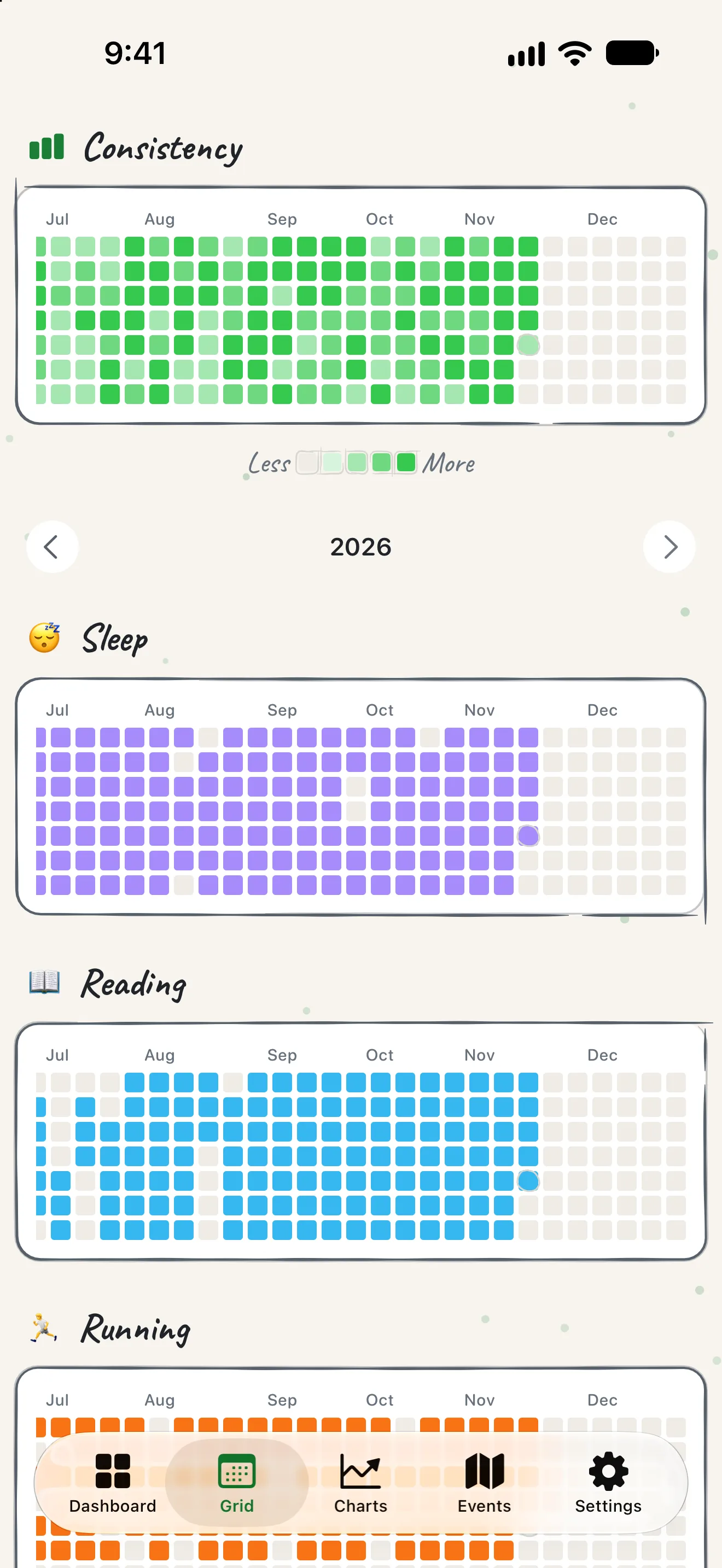
A year of effort, one honest picture.

Every habit gets its own heatmap in its own colour. Patterns, gaps and streaks show at a glance, and streaks follow your schedule, so a rest day never breaks them.

Workout

Meditation

Water

Charts

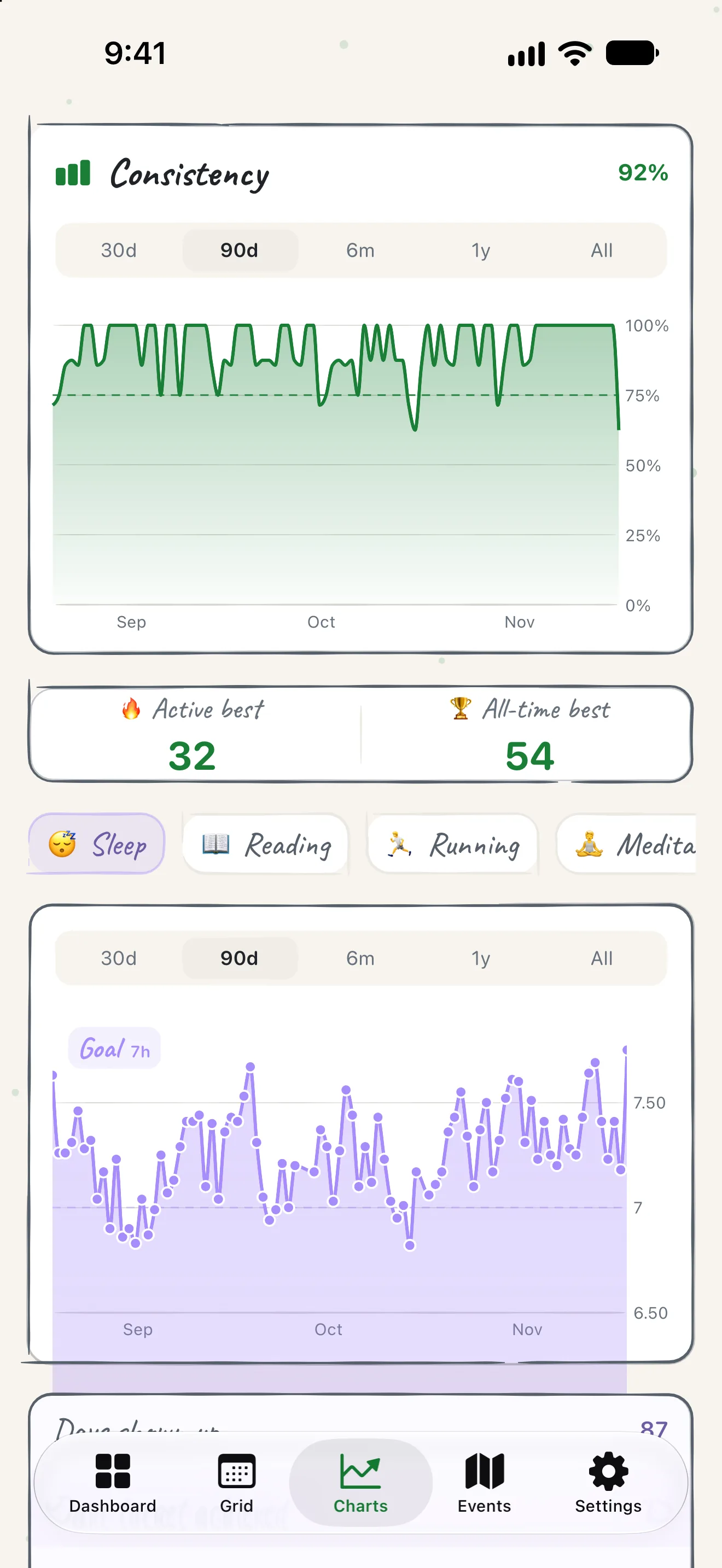
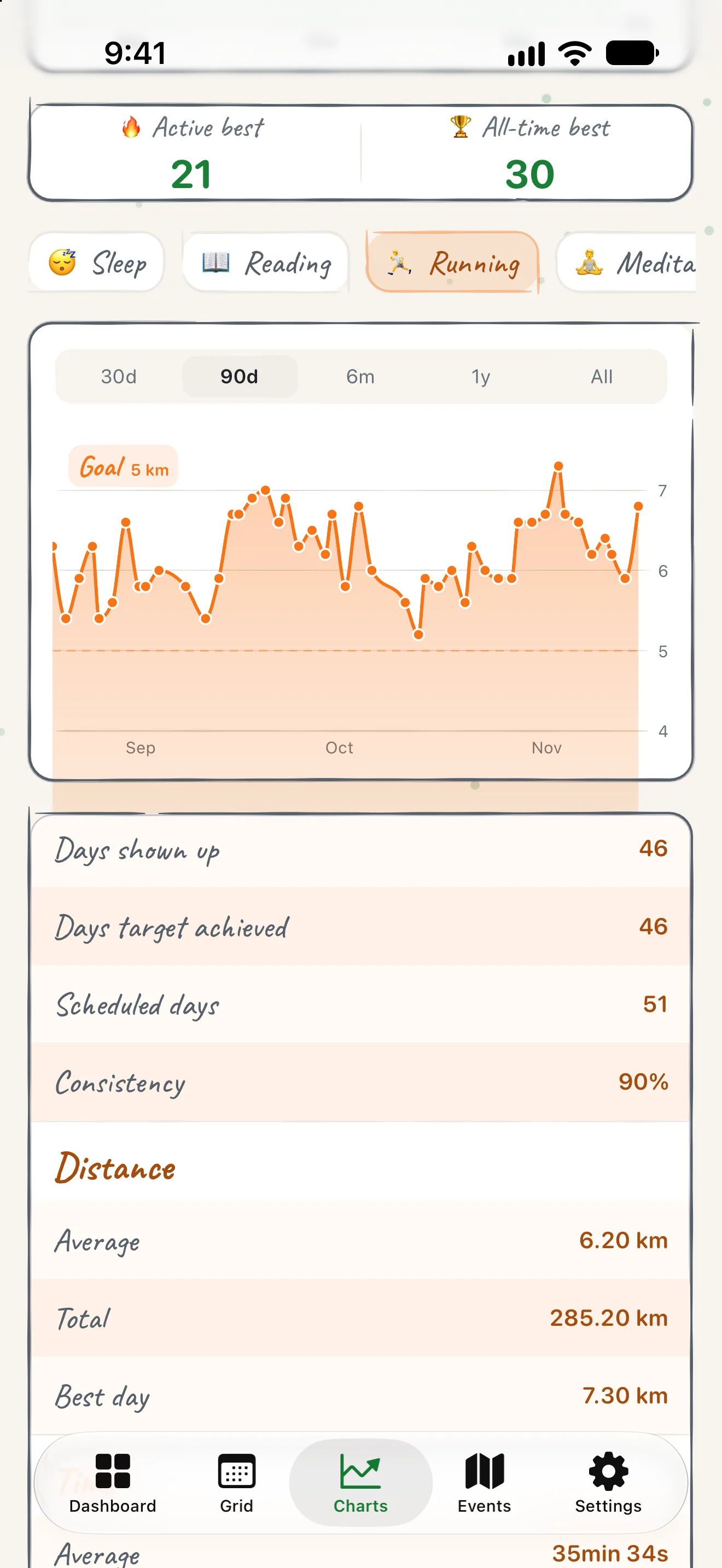
Every habit, measured.

Consistency, averages, totals, days on target and best days. Lines draw themselves in and bars grow from the bottom.

Consistencylast 30 days89%
0255075100
Minutes per dayMTWTFSS

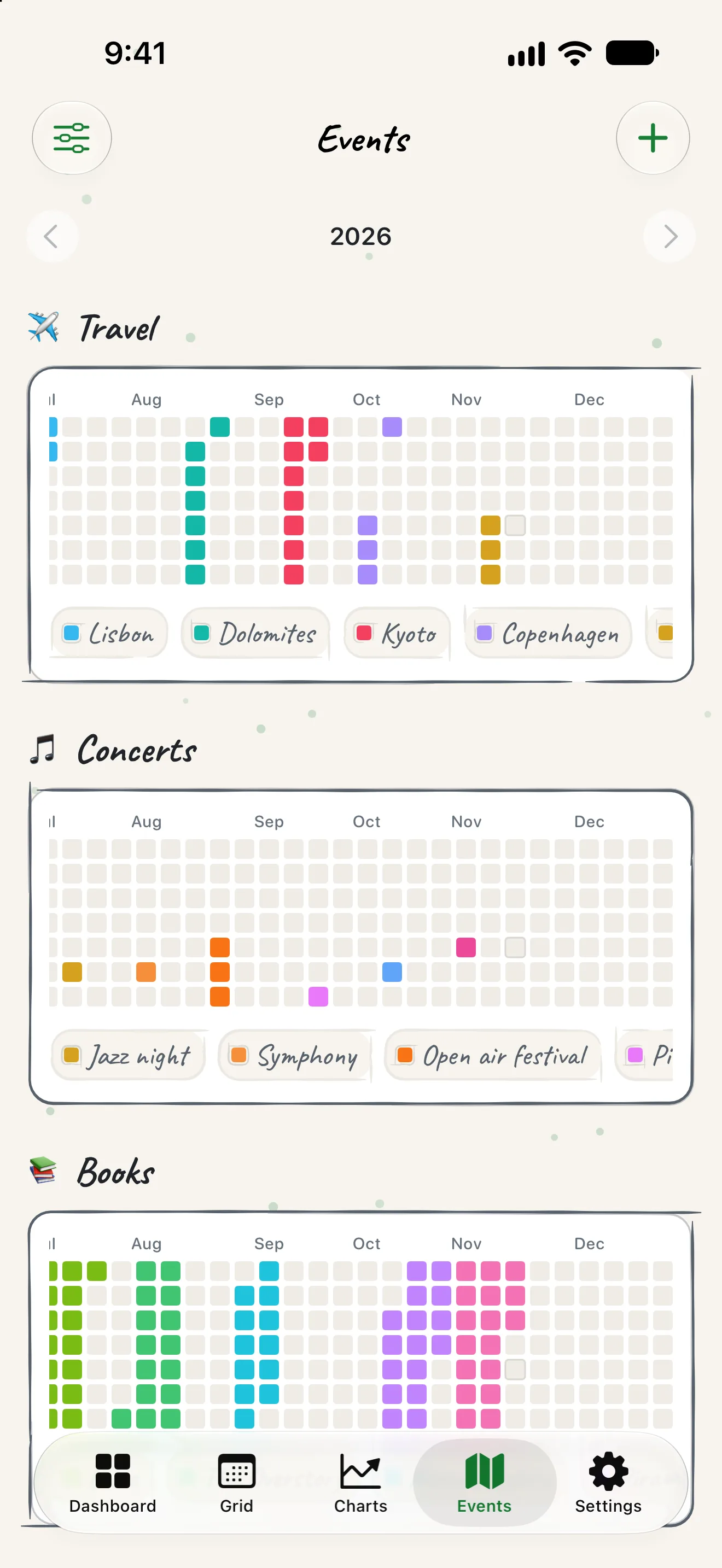
Events

Every place, book and trip gets its own colour.

Log the places you visit, the books you read, the trips and the concerts, and watch a whole year of your life appear as one picture.

Widgets and Live Activity

On your Home Screen and Lock Screen.

A Habit Grid widget, a Today widget to log from the Home Screen, and timers that live on your Lock Screen.

Reading

Timers and logging

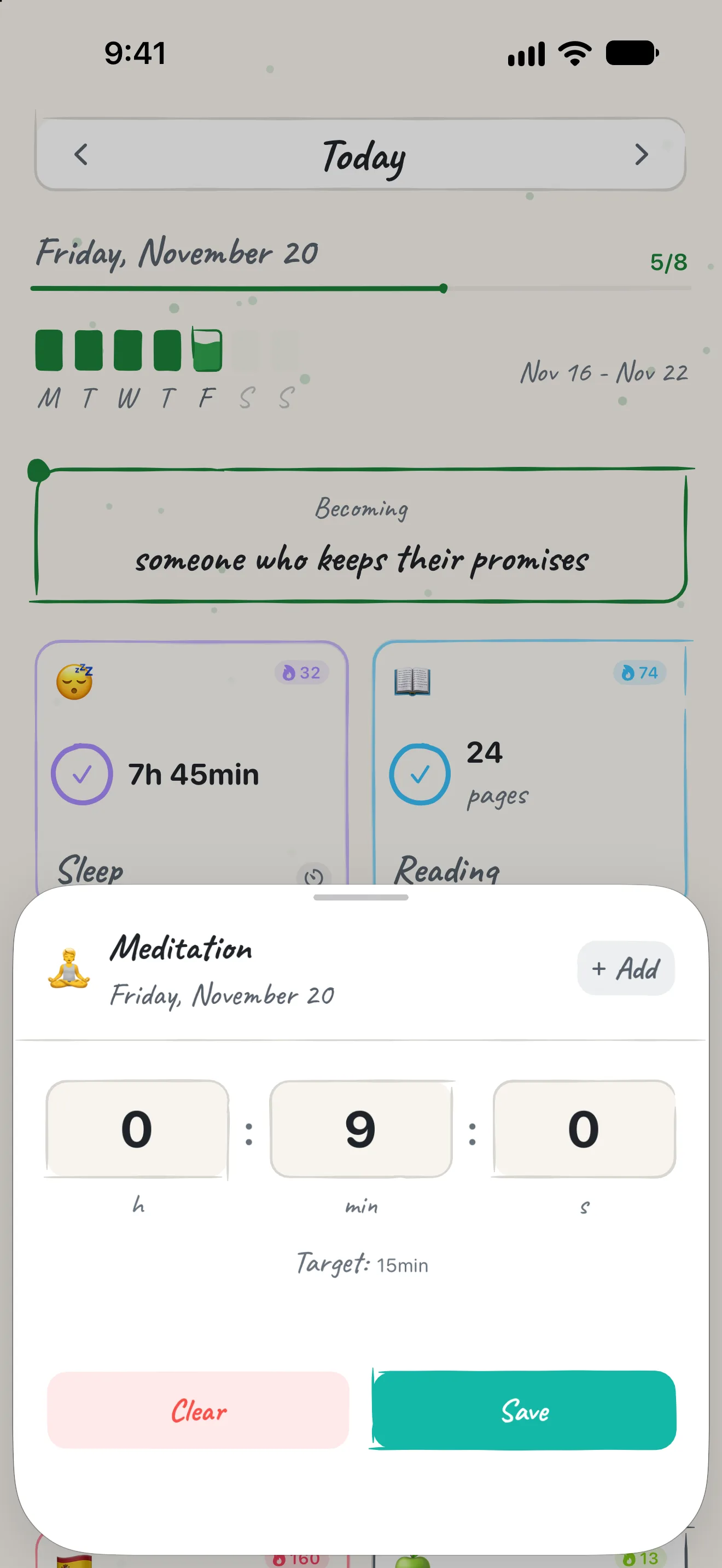
Log in seconds. Timers keep running.

Tap a card, type a value, save. Durations read as h, min and s, and a running timer keeps going when you leave the app.

MeditationExample timer running

Paper and graphite

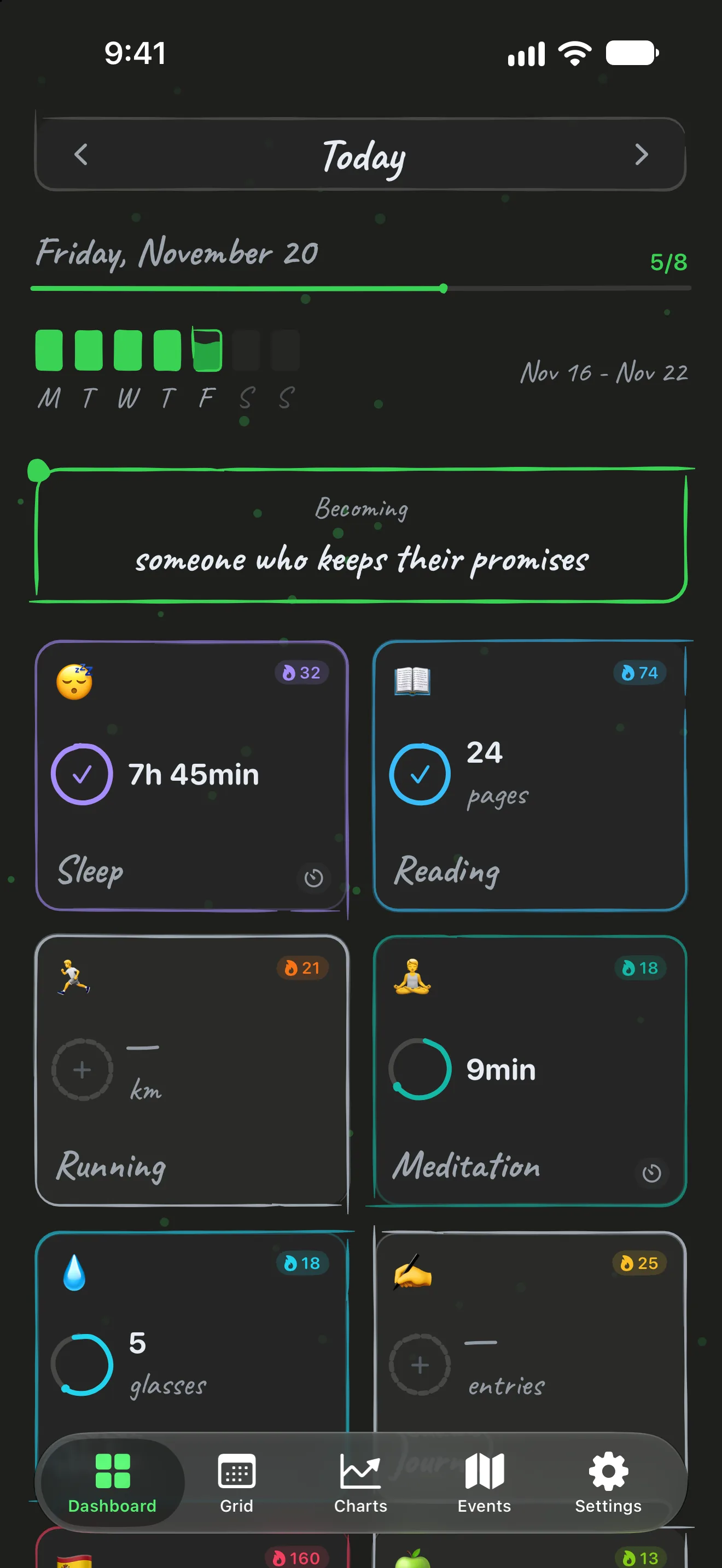
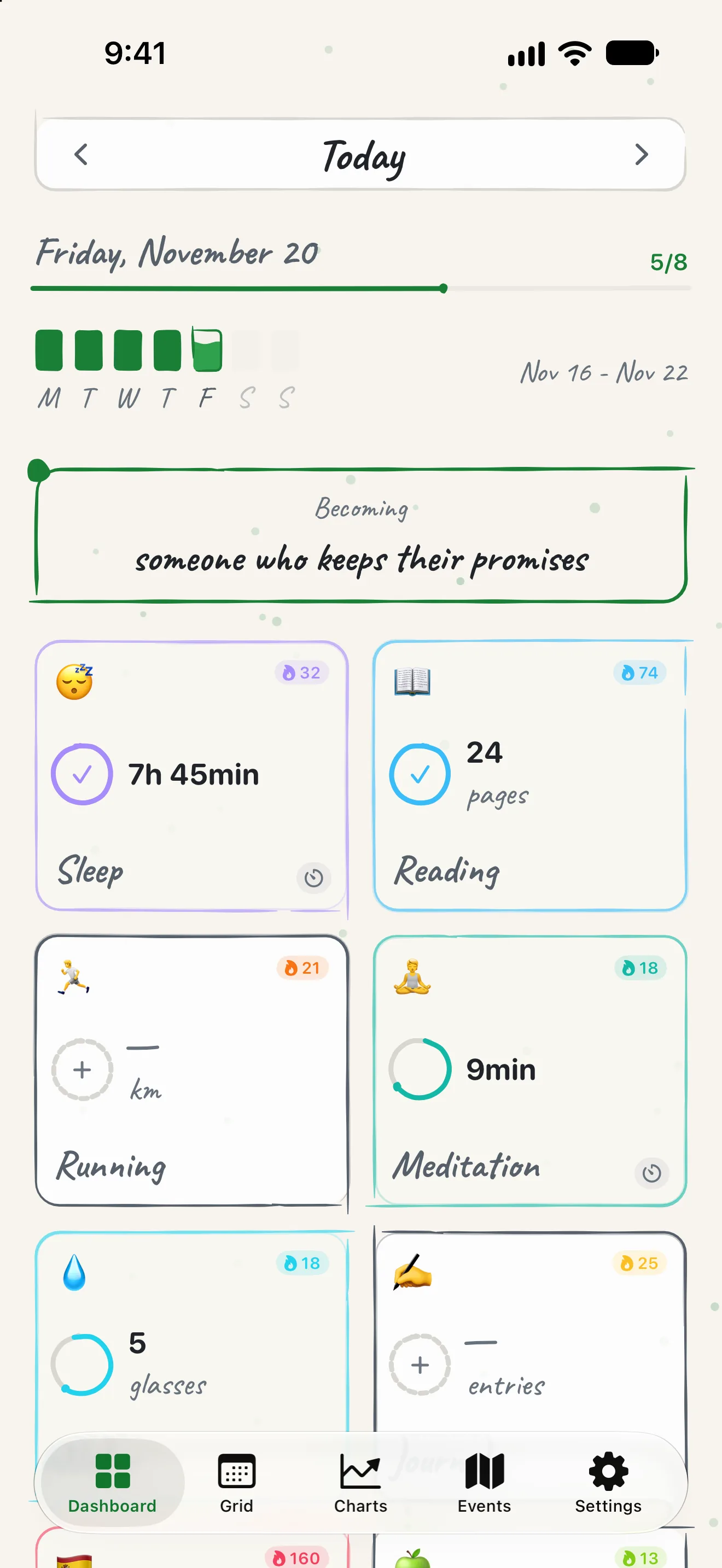
Warm paper by day, soft graphite by night.

Light mode sits on warm paper. Dark mode is a soft graphite instead of pure black. Words are handwritten, numbers stay crisp and exact.

The Dashboard on warm paper.
Paper
The Dashboard on soft graphite.
Graphite

Languages

In your language. 25 of them.

From English to Japanese, Bengali to Albanian. Your own colours and icons on every habit.

  • English
  • Italiano
  • Español
  • Deutsch
  • Français
  • Português (Brasil)
  • Dansk
  • Polski
  • Română
  • Shqip
  • Türkçe
  • Bahasa Indonesia
  • Bahasa Melayu
  • Filipino
  • Русский
  • Українська
  • Ελληνικά
  • हिन्दी
  • বাংলা
  • नेपाली
  • ไทย
  • Tiếng Việt
  • 日本語
  • 한국어
  • 简体中文

Privacy

Your data stays on your iPhone.

No account, no cloud, no tracking. Just you and the proof that you are becoming who you want to be.

Stored on your device

  • Your habits: names, units, targets, colours and icons
  • Your daily logs: date, value and optional notes
  • Your settings and preferences

Never collected

  • Your habits, logs or notes
  • Name, email, phone or location
  • Usage analytics or crash reports
  • Advertising identifiers, cookies or tracking

Pro purchases go through Apple and are checked with RevenueCat, using a random anonymous ID.

Read the privacy policy

MyGrowth Pro

Pro, when you want the whole story.

MyGrowth is free to download and to use with up to three habits. Pro opens everything.

Free

  • 3 habits
  • Current year
  • 30-day charts

Pro

  • Unlimited habits
  • Full history
  • All time charts and averages
  • Events
  • CSV import and backup
  • Custom colours
  • Habits on scheduled days

Monthly, yearly or once for life. See the current price on the App Store.

FAQ

Questions, answered.

How do I log a habit?

Tap any habit card on the Dashboard. A short sheet opens: type your value (7.5 hours of sleep, 2.5 L of water) and tap Save. The entry is recorded at once and your heatmap updates.

Where is my data stored?

Only on your iPhone, in iOS on-device storage. There are no servers, no cloud sync and no accounts. The privacy policy has the full details.

Read the privacy policy

Can I import my history from a spreadsheet?

Yes, with Pro. Go to Settings, Data Management, Import Data, and pick a CSV file with the columns date, habit, unit, value and note. The tutorial has a template.

Open the tutorial

How do I back up or move my data?

With Pro, Settings, Data Management, Export Backup saves every habit and log in one CSV file. Import it on the new device with Import Data.

How do I delete all my data?

Go to Settings, Data Management, Clear All Data. You will be asked to confirm. This is permanent: it wipes every habit, log and preference from your device.

What does Pro cost?

Pro comes as a monthly or yearly subscription, or a one-time purchase. Prices depend on your country; the App Store shows the current one before you buy.

Will there be an Android version?

Not for now. We would rather build one platform well than two poorly.

Start today. A year from now you will be glad you did.

Download on the App Store